MonthBar
Track your month's progress
MonthBar shows you exactly how much of the current month has passed or remains, displayed as a pie chart or percentage right in your macOS MenuBar — free, private, and always up to date.
Perfect for monthly quotas and deadlines — track AI tool usage limits, billing cycles, sprint progress, or any goal that resets each month.





Simple, Focused Features
What makes MonthBar the best month tracker for Mac?
MonthBar does one thing well: shows you where you are in the current month. No complexity, no distractions, no feature bloat.
Two Display Styles
How does MonthBar show monthly progress?
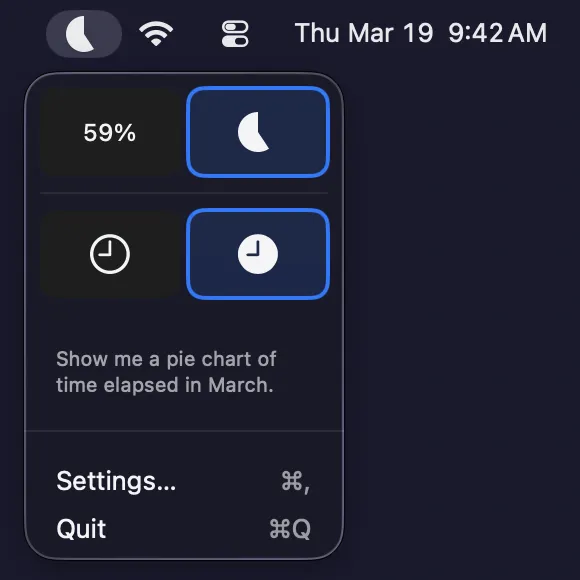
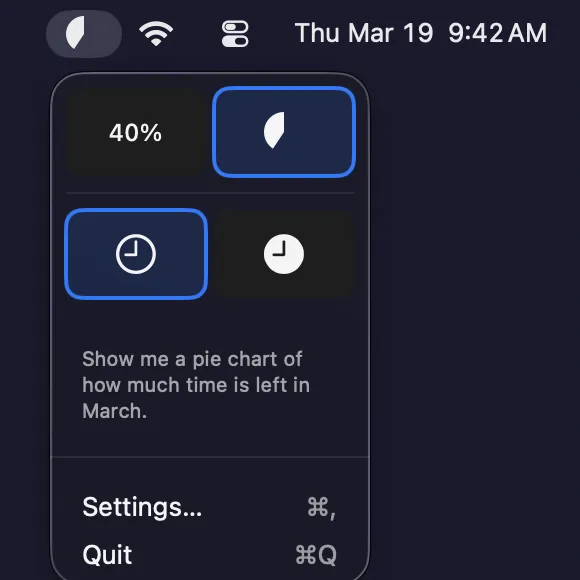
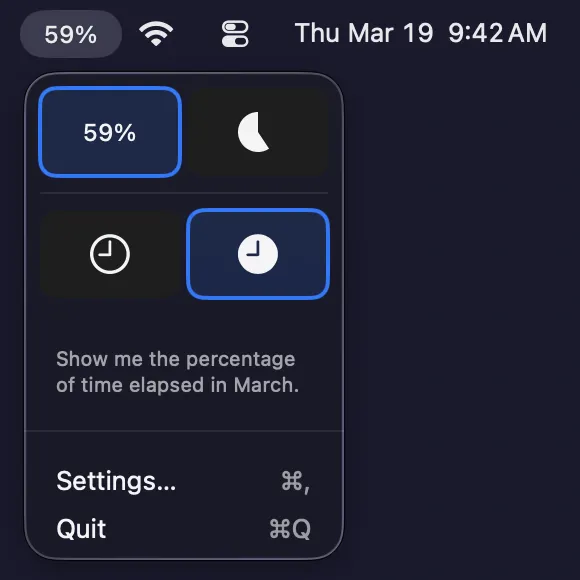
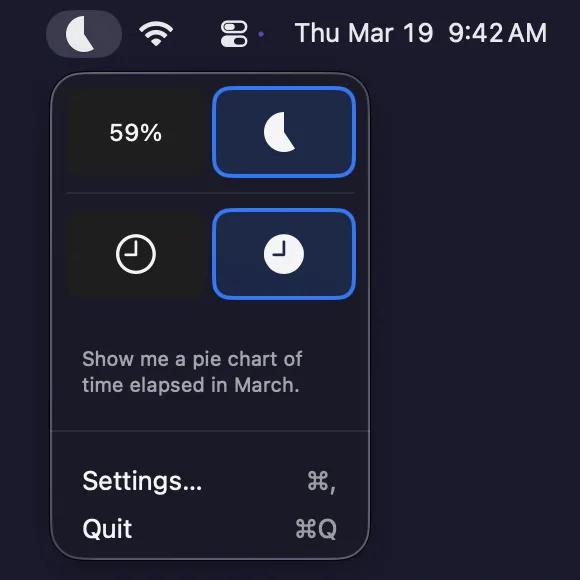
Choose between a visual pie chart showing your month's progress or a simple percentage text display for at-a-glance awareness.
Stay on Track, Effortlessly
Why use a MenuBar month tracker?
Never lose sight of where you are in the month. MonthBar lives quietly in your MenuBar, giving you instant visibility without opening calendars or counting days manually.
Customizable Display
Can I track remaining or elapsed time?
Toggle between viewing remaining time (how much is left) or elapsed time (how much has passed) to match your mental model.
Privacy-First Design
Does MonthBar collect any data?
No network connection, no data collection, no analytics, no tracking. All calculations performed locally on your device.
Real-time Updates
How often does MonthBar update?
Your month progress updates automatically every 60 seconds, ensuring you always have current information at a glance.
Native macOS
Is MonthBar a native Mac app?
Built with SwiftUI for macOS. Respects system appearance, accent colors, and includes VoiceOver accessibility support.
MonthBar is Now Available
How do I get MonthBar?
MonthBar is a free macOS MenuBar app available now on the Mac App Store — no subscriptions, no in-app purchases, no account required. Download MonthBar free from the Mac App Store, or visit the support page for setup help and FAQs.
MonthBar lives quietly in your MenuBar, providing instant awareness of your monthly progress. Perfect for goal tracking, budget period awareness, and project deadline visualization.
How is MonthBar built?
MonthBar is a native macOS application built with Apple's SwiftUI framework, following the Apple Human Interface Guidelines for a consistent Mac experience.
The app uses the macOS MenuBar API (NSStatusBar) to display progress directly in your MenuBar. All data stays on your device using macOS UserDefaults — no servers, no cloud sync, no accounts.
MonthBar follows Apple's Accessibility guidelines with full VoiceOver support and respects system appearance settings including Dark Mode and accent colors.